
 FlowMic
Does FlowMic Keep What You Say?
Whether a dictation tool keeps what you say comes down to where your words are saved: on company servers or on your own devices. FlowMic is an open source (AGPL-3.0) app, and FlowMic servers do not store your transcripts. You hold a button on your phone, talk, and let go to put words into ordinary text boxes in browsers and programs on your computer. Your phone and computer each keep a local timeline that you can export or clear, as detailed in the privacy policy.
Where do your spoken words go when you dictate?
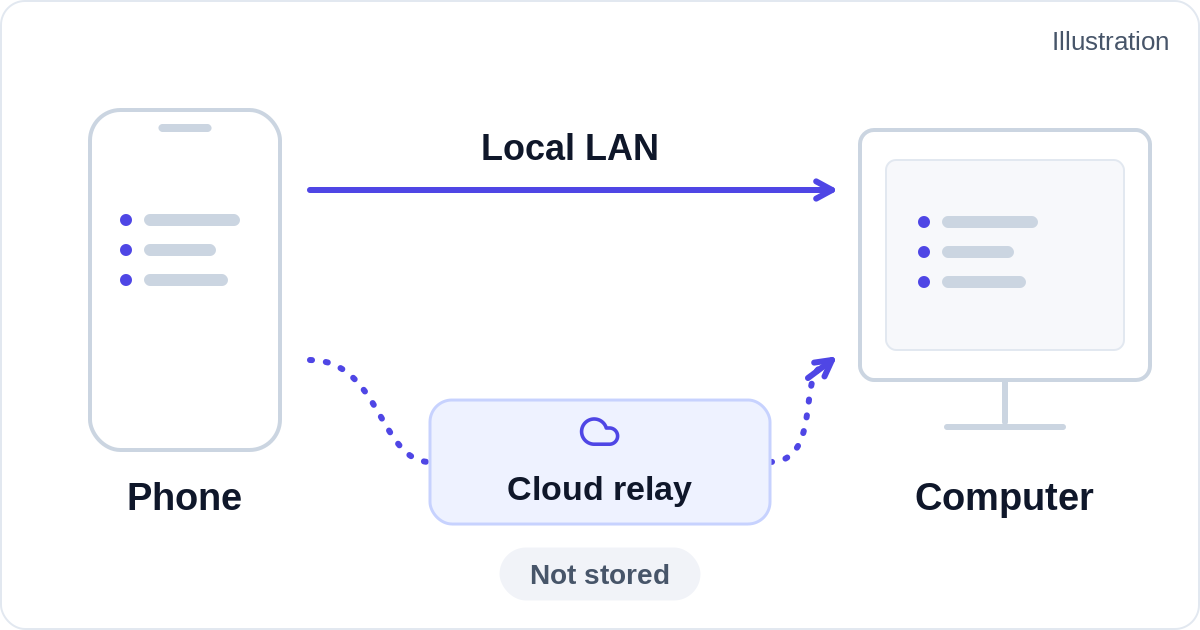
FlowMic servers, including the relay, do not store your transcripts. The database table that once held transcript text was deleted from our servers in 2026. When your phone and computer share the same network, they connect directly and FlowMic servers are not on that path. When your devices are on separate networks, traffic goes over TLS through the Cloud relay, which forwards your words from your phone to your computer.
Your everyday speaking preferences, including scene cards, glossary terms, the "AI polish" switch and its strength, and your spoken language, stay on your phone and are not kept by the relay or synced across devices. Even on a "Record only" note that stays on the phone, leaving "AI polish" on sends the final sentence to the language model once; turning "AI polish" off in "Realtime" mode sends nothing. With the built-in cloud engine, your audio streams through our servers to a speech recognition provider, in memory only and not written to disk. Text for "Translate", "Organize", and "AI polish" is processed by a language model provider; the privacy policy names both and notes that we have found no written commitment from that provider that text sent to its API is not used to improve its models. See push to talk on your phone and Dictate From Anywhere: Phone on Mobile Data to Home PC.
How do you set up FlowMic and dictate your first sentence?
You can install FlowMic on your computer and phone, pair the two devices, and dictate into a text box. Get the apps from the App Store, Google Play, Microsoft Store, or GitHub Releases via the download page, and connect directly on the same network or through the relay when away from your desk. Once paired, holding the talk button records your voice and sends the finished text to your computer when you let go.
- Install FlowMic from the download page on your computer and phone, then pair them using the setup guide.
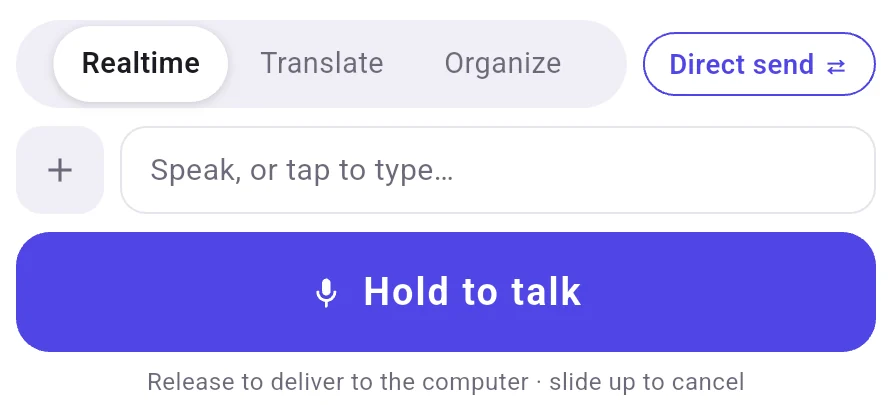
- Pick a mode on the phone: "Realtime" for recognized words in your spoken language, "Translate" for only the translation into the language under "Translate into", or "Organize" for tidy written text in the same language with fillers and false starts removed.
- In "Realtime", set the "AI polish" switch ("Strict" or "Smooth") on for light language-model editing, or off to keep only the recognized words.
- Click inside an ordinary text box on your computer to place the cursor.
- Press and hold "Hold to talk" on the phone; the label changes to "Release to end". Speak, then let go.
- Look at the words in your computer text box and send them the way you normally do, or check See What Happened to Every Sentence You Dictate.
What do the timeline and status labels show on your devices?
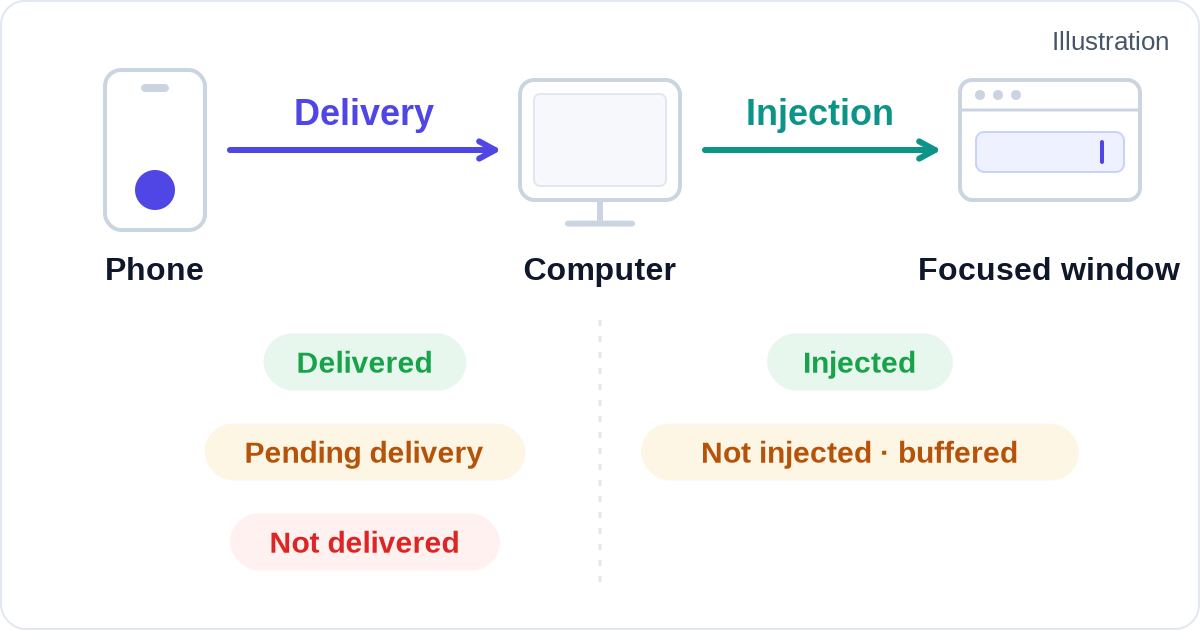
Your phone and your computer each maintain a separate local timeline so you can see each sentence you dictated and act on it later. On the phone timeline, the status "Delivered" means your words reached the computer. Putting those words into the focused window on the computer is a second step, which the computer timeline tracks with its own status labels such as "Injected" or "Not injected · buffered".
On the phone timeline, the row menu gives you "Copy", "Copy original text" for the words before translation or organization, "Edit", "Inject to computer", "Re-organize", "Re-translate", and "Select multiple". On the computer timeline, each row offers "Re-inject". For voice notes recorded away from your desk, see say it now, send it to your computer later.
How do you export or clear your local history and what does the server keep?
Your timeline history stays on your own phone and computer, while FlowMic servers keep only account and metering metadata without any transcript text. On Android, FlowMic disables system cloud backup and device transfer, so a new phone starts fresh without old history. For Cloud relay sessions, the server logs a metering event with only time and duration or count for 90 days, while Local LAN sessions do not write to that table.
- On the phone, tap "Export records" or "Import records"; on the computer timeline, open "Data" and click "Export…" or "Choose a file…" to save or load your records. The export is a zip file, and the app notes: "This file holds your text as-is, with no encryption. Anyone who gets it can read it."
- On the phone, tap "Clear records" to permanently delete entries by type and time range.
- Check the pricing page for the Free plan ($0, 20 managed minutes a month, 2 computers, up to 10 minutes per long recording when signed in), Pro ($12 a month, 1,000 minutes, 3 computers, 30-minute long recordings), and Max ($28 a month, 3,000 minutes, 10 computers, 30-minute long recordings).
Common questions
Does FlowMic keep dictated text on its servers?
No. FlowMic servers do not store your transcripts, and the database table that once held transcript text was removed in 2026. Your phone and your computer each keep their own local timeline on the device so you can review, copy, export, or delete your past sentences.
What happens when the phone and computer are on different networks?
When your devices are on separate networks, they connect through the Cloud relay over TLS. The relay forwards your words from your phone to your computer without storing them. On the same network, devices connect directly and FlowMic servers are not on that path.
What account and usage records do FlowMic servers store?
The servers store your account, paired devices, engine routing set in the console, and usage totals per billing period. For Cloud relay sessions, the server logs a metering event with time and duration or count, without text, kept for 90 days. Local LAN sessions do not write to that table.
How much does FlowMic cost and where do you subscribe?
The Free plan is $0 for 20 managed transcription minutes a month on 2 computers, with 10-minute long recordings when signed in. Pro is $12 a month (1,000 minutes, 3 computers) and Max is $28 a month (3,000 minutes, 10 computers), both with 30-minute long recordings. Subscribe on the FlowMic website.