
 FlowMic
See What Happened to Every Sentence You Dictate
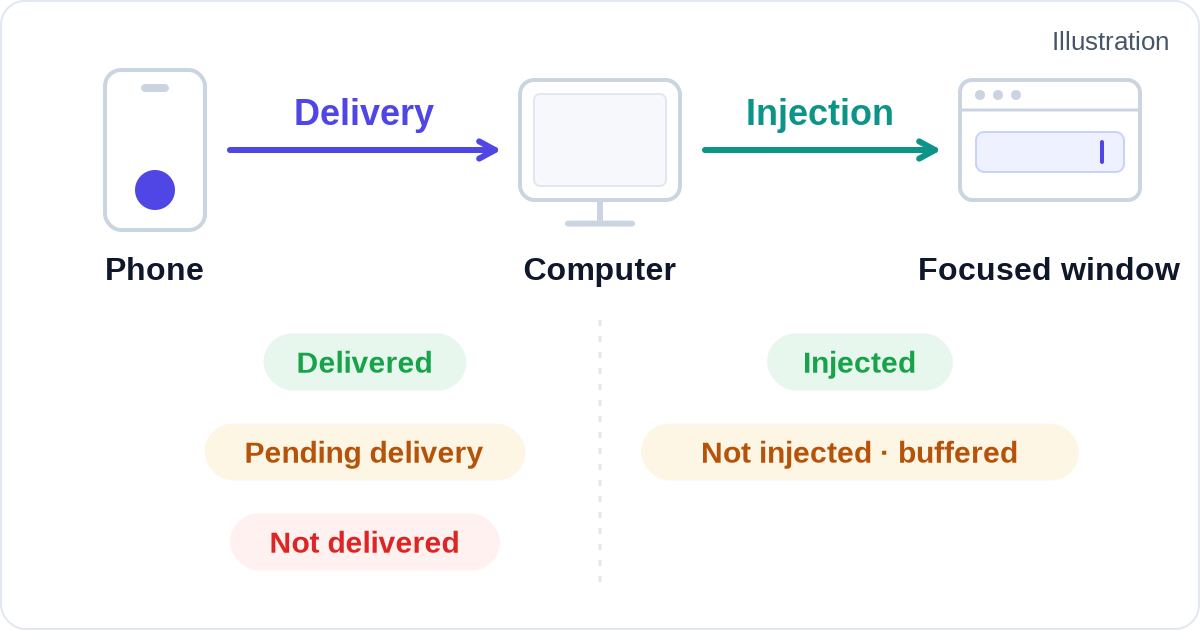
Seeing what happened to every sentence you dictate means checking whether your words reached the computer and whether they went into the window. FlowMic, an open source (AGPL-3.0) app, shows both on two timelines, one on your phone and one on your computer. Each sentence gets a row with a status word. The phone tells you about delivery. The computer tells you about the window. Get both apps from the download page.
What do the status words on your phone mean?
The phone row answers one question: did the words reach the computer? "Delivered" means they did. "Pending delivery", "Pending · queued" and "Pending · in flight" mean the sentence is still on its way. "Pending · no answer yet" means the computer is connected but has not replied, and the phone sends it again by itself. "Not delivered · refused" and "Not delivered · not successful" mean it did not get there.
The row also shows which computer the sentence went to and the title of the window, along with a word count. A row that reads "Delivered" says nothing yet about the window, because that is the computer's part of the story. For the full set of phone rows, see what the timeline shows.
How do you know whether the words went into the window?
Look at the timeline on the computer. "Injected" means the words went into the window, and the row can name the window title and the time. "Not injected · buffered" means the words reached the computer and are kept there, without going into a window. On Linux with X11, the row reads "Input sent", meaning the computer sent the text to the window. These labels belong to the computer timeline.

Keeping the two steps apart means each word on the screen answers one question. Your phone answers for the trip to the computer, and your computer answers for the window. The same split is drawn in the diagram at the top of this page.
Where do you check each sentence after you dictate?
Check the phone row first, then the computer timeline if you want to know about the window. The phone row tells you whether the sentence reached the computer, which computer it was, and which window title it went to. The computer timeline tells you whether it went into that window. You can also just look at the text box, and the timelines keep the record for later.
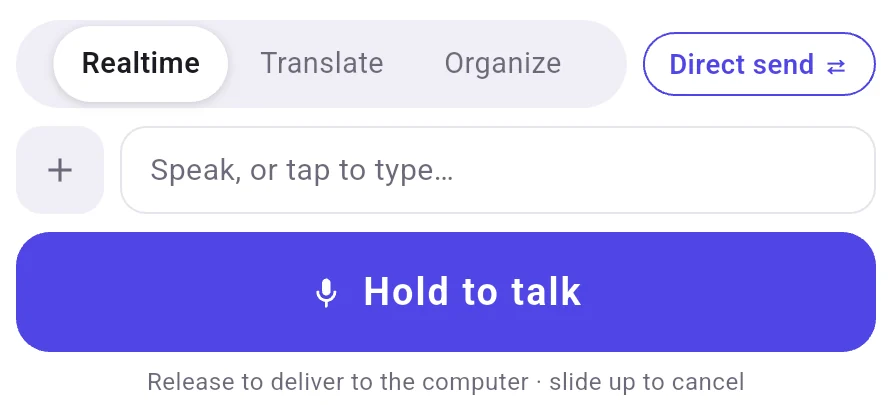
- Click into a text box on the computer, hold "Hold to talk" on the phone, speak, and let go.
- Look at the new row on the phone: a status word such as "Delivered", the computer name, the window title and the word count.
- Open the timeline on the computer and read the status of the same sentence, such as "Injected".
- If you want the sentence again, use the row actions described below.
What happens if the computer is offline when you speak?
The phone keeps the sentence and shows a banner with the number of items pending delivery, saying they will be sent when the link is back. Once the computer is reachable, the phone sends them. A sentence delivered this way is not typed into the window by itself. Its row reads "Delivered · not auto-injected", and you decide when to put it in place. That way a late sentence waits for you instead of appearing in whatever window is open.
If the computer is connected but has not answered, the row turns to "Pending · no answer yet" and the phone tries again on its own. Why FlowMic Types the Words but Leaves Sending to You covers what happens after the words arrive.
How do you send a sentence again or reuse it?
Open the row menu on the phone. "Copy" copies the text, and "Copy original text" copies the words from before translation or organizing. "Inject to computer", described as "Re-deliver to the focused window", sends the row to the computer again. Some rows also offer "Resend". "Select multiple" lets you pick several rows at once, and on the computer, each row has "Re-inject".
Each device keeps its own timeline, and the computer's statistics are not merged with the phone's. If you use one phone with more than one computer, read One Phone, Several Computers.
Common questions
What does Delivered mean on my phone?
Delivered on a phone row means the words reached your computer. Whether they then went into the window is a separate step, which the computer timeline reports with its own labels, such as Injected.
Do the phone and the computer keep the same history?
Each keeps its own timeline. The computer statistics page says so in its own words: the numbers on your phone answer a different question, and the two are not merged.
Can I send a sentence to the computer again?
Yes. On the phone, a row menu offers Inject to computer, described as Re-deliver to the focused window, and some rows show Resend. On the computer, each timeline row has Re-inject.
What does FlowMic cost?
The Free plan is $0 with 20 managed transcription minutes a month and 2 computers. Pro is $12 a month with 1,000 minutes and 3 computers, and Max is $28 a month with 3,000 minutes and 10 computers. Subscribe on the FlowMic website.