
 FlowMic
 Setup on iPhone, Android, Windows, Mac and Linux
Cross-platform phone-to-computer voice typing lets you use an Android phone, iPhone, or iPad as the microphone that types into a Windows, macOS, or Linux computer, and FlowMic is an open source (AGPL-3.0) app built for that job. Install both apps, scan a pairing code, hold a button on your phone while speaking, and let go to place words into ordinary text boxes in browsers and programs, or visit the browser try page first.
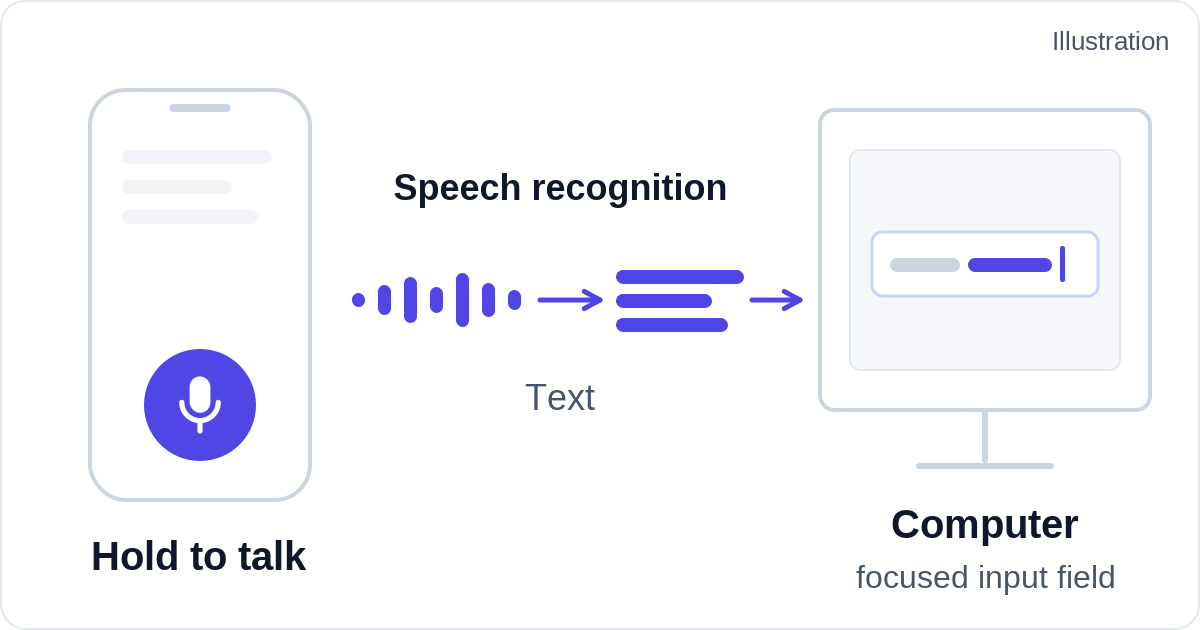
Which phones and computers work together with FlowMic?
FlowMic connects any supported Android phone, iPhone, or iPad with any supported Windows, macOS, or Linux computer because you install one part on your computer and one part on your phone. You can pair an iPhone with a Windows desktop or a Linux workstation, or pair an Android phone with an Apple silicon Mac, using the same pairing and speaking steps.
Pick your operating system on the downloads page:
- Windows 10 and 11 64-bit, macOS 11 or later on Apple silicon, and Linux x86-64 (tested on Ubuntu 22.04 LTS), where typing into other applications requires an X11 session, as covered in the Linux voice typing guide.
- Android 7.0 or later and iOS or iPadOS 15 or later, serving as an Android voice keyboard for your PC or an iPhone voice keyboard for your PC.
Where do you download and install FlowMic on each platform?
Install FlowMic on your computer first and on your phone second, because the computer app generates the pairing code that the phone app scans during setup. Every platform has a store listing or installer on the FlowMic download page, and the Microsoft Store, Google Play, and the App Store all carry the latest version.
- On Windows 10/11 64-bit, install from the Microsoft Store, or get the MSI installer or administrator-free portable zip from GitHub Releases. The installer is digitally signed, though Windows SmartScreen may show a system prompt on first launch.
- On macOS 11 or later on Apple silicon, download the notarized build, move FlowMic into Applications before first opening it, and grant Accessibility permission.
- On Linux x86-64 in an X11 session, install the
.debpackage or portable zip following the Linux installation guide. - On Android 7.0 or later, install from Google Play or get the APK from GitHub Releases.
- On iOS or iPadOS 15 or later, install from the App Store. The iOS app is on the App Store outside mainland China and the EU.
How do you pair your phone and dictate your first sentence?
Once FlowMic is installed on both devices, pairing takes a single QR code scan, and then you can dictate. Open the computer app to display the pairing window, scan the code from the phone app, click inside a text box on your computer, and hold the talk button on your phone while you speak.
- On your computer, open FlowMic, go to "Devices", and click "Add phone". A dialog displays a QR code, a 9-digit PCID, a 4-digit pairing code, and the countdown "Pairing code expires in". It notes "Pairing code valid for 5 minutes" and refreshes automatically.
- On your phone, open FlowMic. Tap "Add device", stay on the "Scan" tab selected, and aim the camera at the QR code without pressing a button, or use "Enter manually".
- On your computer, click inside an ordinary text box in a browser or program.
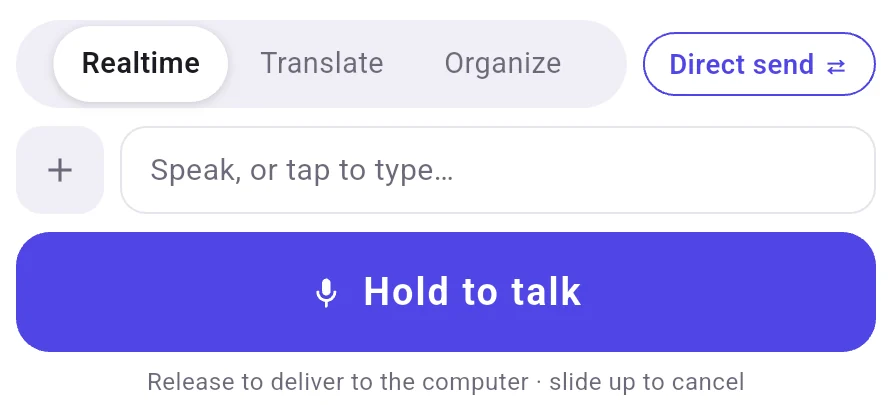
- On your phone, press and hold "Hold to talk". Recording starts and the label becomes "Release to end". Accept the microphone permission prompt on first use.
- Speak while holding the button, then let go to finish. To discard a recording, slide upward while holding until "Release to cancel" appears, then let go.
- After you let go, the words appear at the cursor in the text box on your computer. Look at the words and send them the way you normally do.
How do the three modes and plans work across your devices?
Each time you speak, FlowMic runs the mode selected at the bottom of the phone app: "Realtime", "Translate", or "Organize". All three modes are included on every subscription tier, including the Free plan, and the plans differ in managed minutes and the number of computers.
- "Realtime" outputs recognized words in the language spoken, with an optional "AI polish" switch that has a language model lightly edit the final text.
- "Translate" lets you speak in one language and outputs only the translation in the language chosen under "Translate into" (9 target languages, with simplified and traditional Chinese counted separately).
- "Organize" produces tidy written text in the same language with fillers and false starts removed, without making lists, outlines, or minutes.
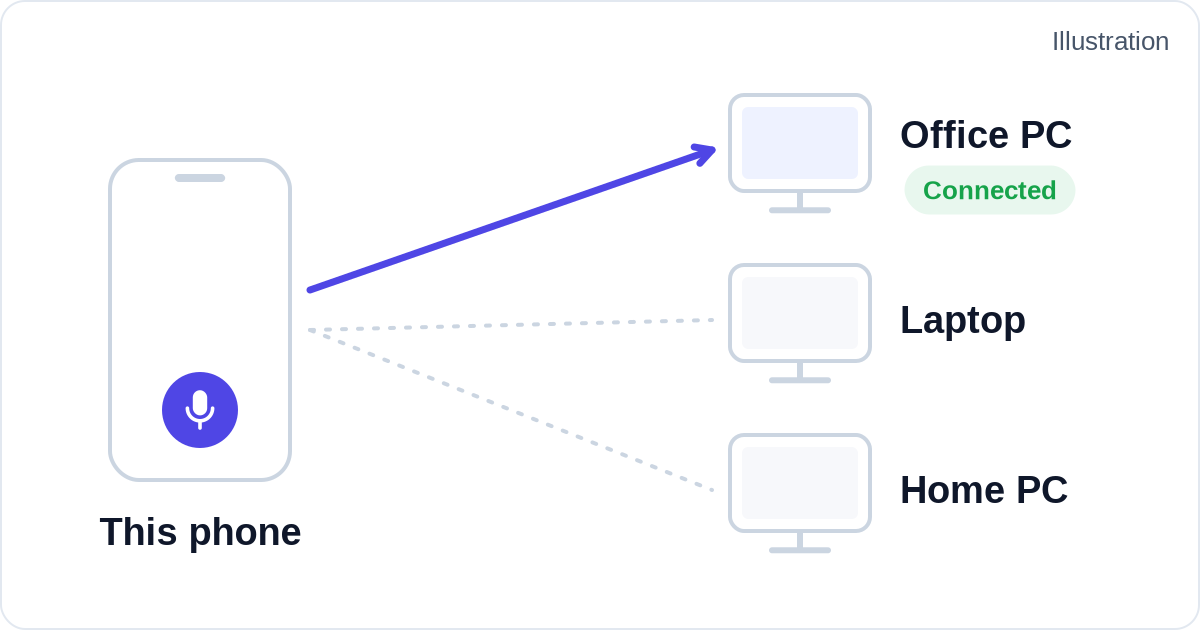
If you pair one phone with several computers, check how many computers each plan covers on the pricing page: Free ($0, 20 managed transcription minutes a month, 2 computers, 10-minute long recordings when signed in), Pro ($12 a month, 1,000 minutes, 3 computers, 30-minute long recordings), and Max ($28 a month, 3,000 minutes, 10 computers, 30-minute long recordings), billed monthly in US dollars. Store apps have no in-app payment screen; subscribe on the FlowMic website.
Common questions
Which phones and computers does FlowMic support?
On computers, FlowMic runs on Windows 10 and 11 64-bit, macOS 11 or later on Apple silicon, and Linux x86-64 (tested on Ubuntu 22.04 LTS) where typing into other applications requires an X11 session. On mobile devices, FlowMic runs on Android 7.0 or later and on iPhone and iPad with iOS or iPadOS 15 or later.
Where do you download FlowMic for each device?
Get the Windows app from the Microsoft Store or from GitHub Releases as an MSI installer or portable zip. Download the notarized macOS build and the Linux x86-64 .deb or portable zip from the download page or GitHub Releases. Install the phone app from Google Play, GitHub Releases as an APK, or the App Store.
Do you need FlowMic installed on both the phone and the computer?
Yes, you need both parts to type: one app on your computer and one app on your phone. Install and open FlowMic on your computer first to display a pairing QR code on the Devices page, then scan that code from the phone app.
Why does the iOS app not appear in some App Store regions?
The iOS app is on the App Store outside mainland China and the EU. To install FlowMic on an iPhone or iPad, your App Store account needs to be in a covered region and your device needs iOS or iPadOS 15 or later.
How much does FlowMic cost and where do you subscribe?
The Free plan is $0 with 20 managed transcription minutes a month, 2 computers, and up to 10 minutes per long recording when signed in. Pro is $12 a month for 1,000 minutes and 3 computers, and Max is $28 a month for 3,000 minutes and 10 computers, both with 30-minute long recordings. Subscribe on the FlowMic website.