
 FlowMic
Voice Typing From an Android Phone Into Linux (X11)
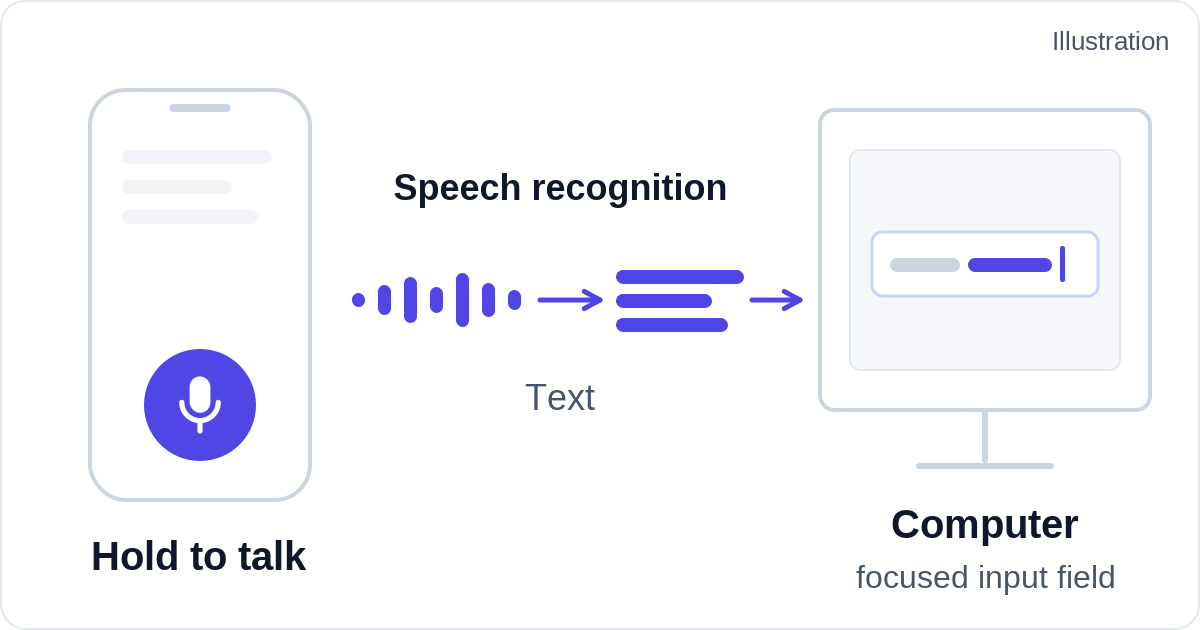
Voice typing from an Android phone into Linux means you speak into the phone and the words appear at the cursor of a program on your Linux desktop. FlowMic, an open source (AGPL-3.0) app, does this on Linux x86-64 in an X11 session: hold a button in the Android app, speak, let go, and the text goes to the window you clicked.
How do you set up voice typing from Android into Linux?
You install FlowMic on the Linux computer and on the Android phone, then pair them by scanning a QR code. After that, you click into the program where the words should go, hold "Hold to talk" on the phone, speak, and let go.
- On the Linux computer, download the .deb from the Linux download page and install it with
sudo apt install ./FlowMic_*_amd64.deb. - If you prefer the portable zip, first install its libraries with
sudo apt install libwebkit2gtk-4.1-0 libjavascriptcoregtk-4.1-0 libsoup-3.0-0 libayatana-appindicator3-1. - On the Android phone, install FlowMic from Google Play, or download the APK from GitHub Releases.
- Open FlowMic on the computer, go to "Devices" and click "Add phone". A dialog shows a QR code, a 9-digit PCID, a 4-digit pairing code and "Pairing code expires in"; the code is valid for 5 minutes and refreshes by itself.
- On the phone, tap "Add device", stay on the "Scan" tab and point the camera at the code. No button press is needed; you can also switch to "Enter manually".
- Click into the text box in your Linux program, hold "Hold to talk" on the phone, speak, and let go.
The Linux install guide covers the same install in more detail.
Which Linux setup does FlowMic need?
FlowMic for Linux is built for x86-64 computers and comes as a .deb package or a portable zip. The .deb installs with apt in one command, and the zip needs four libraries that apt also provides. To put your words into other programs, FlowMic needs an X11 session on the desktop.
FlowMic types into the window by pasting: it puts the text on the clipboard, presses Ctrl+V, and then puts your previous clipboard back. The words then appear at the cursor of the program you clicked. For a guide written around Ubuntu, read voice typing on Ubuntu (X11).
How does the talk button work on the Android phone?
The talk button is in the FlowMic app on your phone. You press and hold "Hold to talk"; after a short hold, recording starts and the label changes to "Release to end". You speak while holding, and you let go to finish. To drop a recording, slide your finger up while holding until it reads "Release to cancel", then let go.
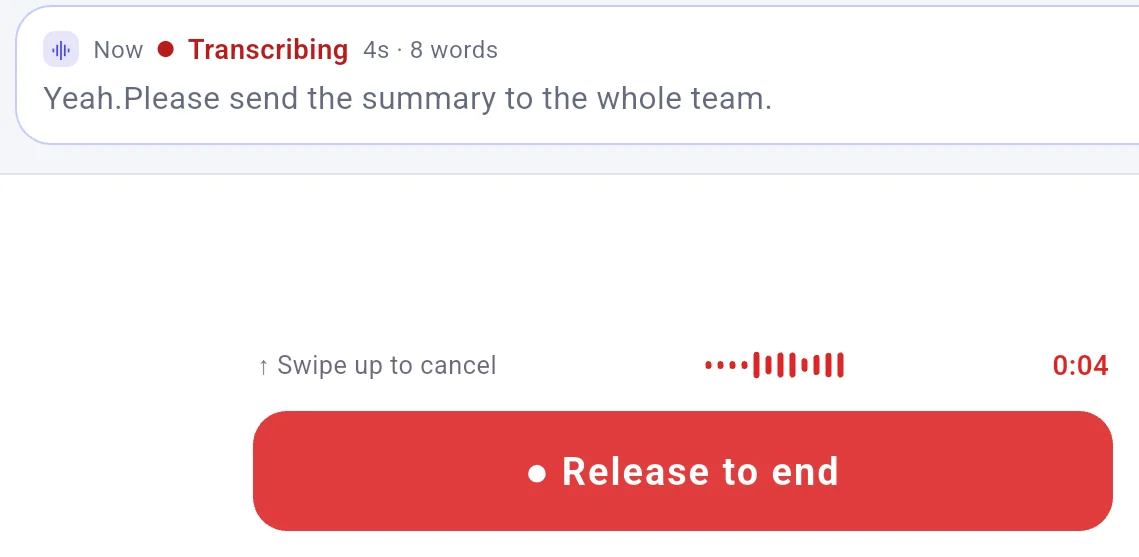
The finished text goes to the computer after you let go of the button. If you use an Android phone with a Windows computer too, see use your Android phone as a voice keyboard for your PC.
What happens on the Linux computer after you let go?
After you let go, the phone sends the finished text to the Linux computer, and FlowMic pastes it at the cursor of the window you clicked. On the phone, the row for that sentence shows "Delivered", which means the words reached the computer. The computer keeps its own timeline, where the same sentence is marked "Input sent" once FlowMic has sent it to the window.
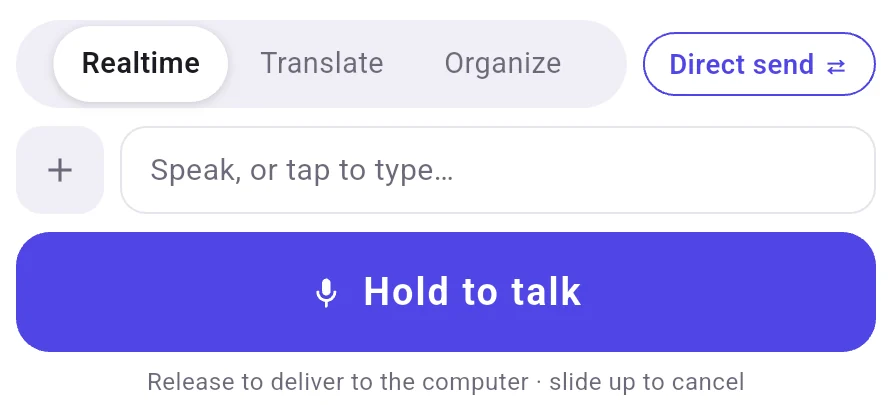
Those are two separate steps, phone to computer and computer to window, and each device reports its own part. You can read the words in your program, fix anything with the keyboard, and carry on with the next sentence.
Where do your words go between the phone and the Linux computer?
Your words go from the Android phone to the paired Linux computer, and FlowMic on the computer pastes them into the window you clicked. FlowMic servers do not store your transcripts. When the words travel through the FlowMic relay, it passes them along over TLS. For the full answer, read does FlowMic keep what you say.
FlowMic also runs on Windows 10/11 64-bit and on macOS 11 or later with Apple silicon, and the phone app runs on iPhone and iPad as well as Android. See FlowMic setup on every platform and the pricing page for plans.
Common questions
Does FlowMic run on Linux?
Yes. FlowMic for Linux comes as a .deb package and a portable zip for x86-64 computers. To type into other programs, it needs an X11 session on the desktop. You install it from the FlowMic download page and pair it with the Android app by scanning a code.
How do I install FlowMic on Linux?
Download the .deb from the FlowMic download page and install it with sudo apt install followed by the path to the file. The portable zip needs four libraries first: libwebkit2gtk-4.1-0, libjavascriptcoregtk-4.1-0, libsoup-3.0-0 and libayatana-appindicator3-1.
Where do my words go when I dictate?
FlowMic servers, including the relay, do not store your transcripts. The relay traffic runs over TLS.
How much does FlowMic cost?
Free is $0 with 20 managed transcription minutes a month and 2 computers. Pro is $12 a month with 1,000 minutes and 3 computers, and Max is $28 a month with 3,000 minutes and 10 computers. All plans have the same features and are billed monthly in US dollars on the FlowMic website.