
 FlowMic
Try FlowMic in the Browser Before Installing Anything
Trying FlowMic in the browser means using the free demo on the FlowMic website: you scan a code with your phone, hold a button, say a sentence, and watch your words appear on the web page. FlowMic is an open source (AGPL-3.0) app that, once installed, turns your phone into the microphone for your computer, and the demo lets you see what it does with your voice first.
How does the FlowMic browser demo work?
The demo lives on the try page of the FlowMic website. You click the button on the page to show a QR code, scan the code with your phone camera or a browser, hold the button on the page that opens on your phone, and speak. Your words then appear on a line on the web page.
- On your computer, open the try page in your browser and click the button to show a QR code.
- The page runs a human check before it shows the code.
- Scan the code with your phone. The iPhone camera reads it directly; on Android, use the camera or any browser.
- On the page that opens on your phone, hold the button and speak a sentence.
- Look at the line on the computer's web page: your words appear there.
Do you need to install anything or sign in?
You do not need to install anything to try the demo: it runs in your computer's browser, and the page says there is nothing to install on your phone. You do not need an account either. Without signing in, each browser gets 120 seconds of demo time in total, and the page shows the time left as you go. That allowance is for the life of the browser, not per day.
If you are signed in to FlowMic, the demo uses your own free allowance instead of the 120 seconds, and the page shows how much of it is left. When the demo time runs out, the page tells you. The codes on the page expire after a while; when one has expired, click it to get a new one.
Where do your words appear during the demo?
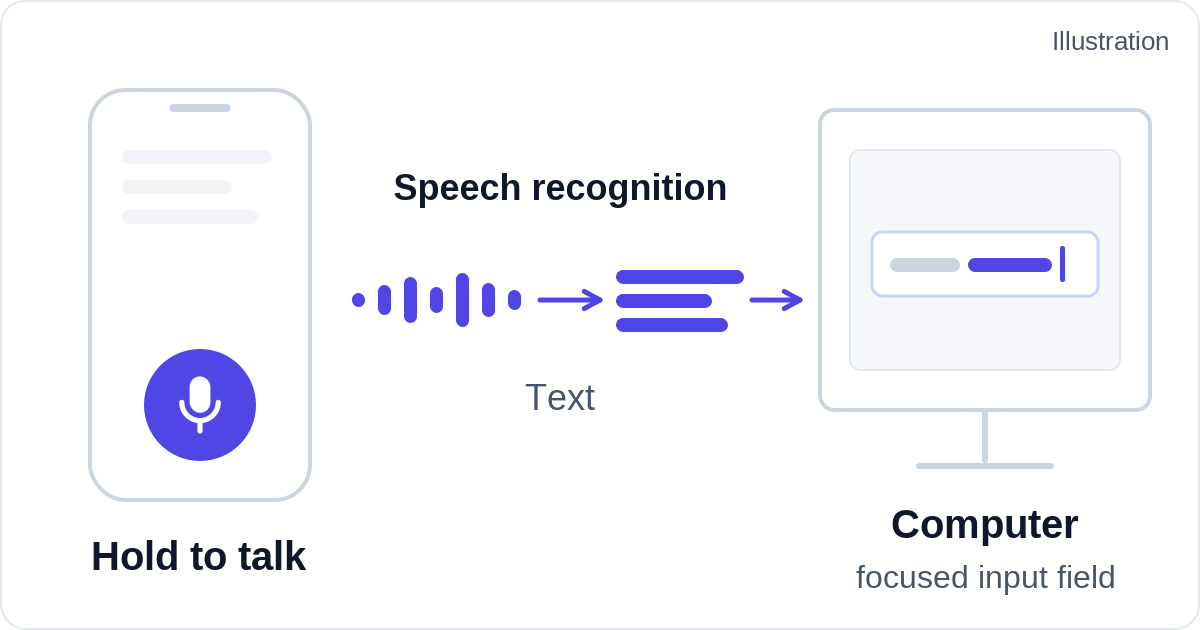
During the demo, your words land on the line on the FlowMic web page and nowhere else. The demo shows what your phone microphone and FlowMic do with a sentence you speak, without anything installed on your computer. To have your words go into the text box where your cursor is on your own computer, you install FlowMic on the computer and the phone and pair them.
If you already have FlowMic installed on your computer and paired with your phone, the try page shows a separate note: clicking into the box and speaking then goes through your desktop app, and the page itself does not react.
What do you get when you install FlowMic?
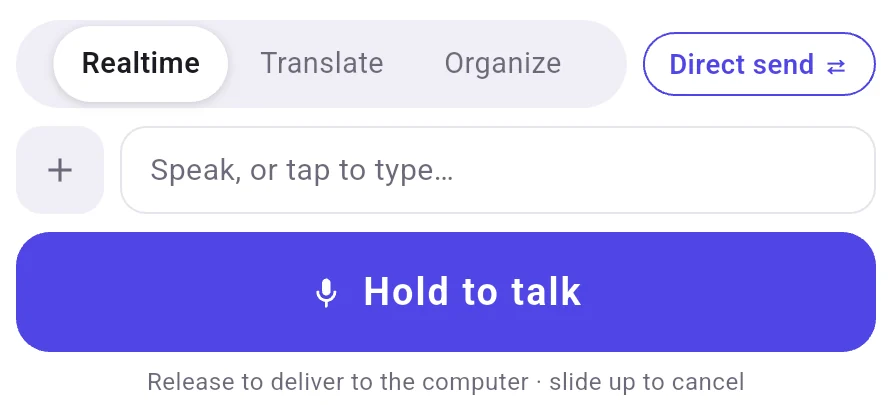
With FlowMic installed on both devices, you hold "Hold to talk" in the phone app, speak, and let go, and your words go to the cursor in ordinary text boxes in browsers and programs on your computer. The button reads "Release to end" while you hold it, and sliding up to "Release to cancel" before you let go throws the recording away. Get the apps from the download page.
The computer app runs on Windows 10/11 64-bit, on macOS 11 or later with Apple silicon, and on Linux x86-64 in an X11 session; the phone app runs on Android 7.0 or later and on iPhone and iPad with iOS or iPadOS 15 or later. The setup guide for every platform walks through installing and pairing. For the full picture of how it works, read voice typing for your PC using your phone.
FlowMic servers, including the relay, do not store your transcripts; see does FlowMic keep what you say. When you are ready to choose a plan, the pricing page lists what each one includes, starting with the Free plan at $0.
Common questions
Can I try FlowMic without installing anything?
Yes. The demo on the FlowMic website runs in your computer's browser, and the page itself says there is nothing to install on your phone. You scan the code with your phone camera or a browser, hold the button on the page that opens, and speak.
Do I need an account to try it?
No. Without signing in, each browser gets 120 seconds of demo time in total, and that allowance does not reset each day. If you are signed in, the demo uses your own free allowance instead, and the page shows how much is left.
Do my words go into my computer during the demo?
No. In the demo, your words appear on the line on the FlowMic web page and nowhere else. To have your words typed into a text box on your own computer, install FlowMic on the computer and the phone and pair them.
What happens when the QR code expires?
The code on the demo page expires after a while. When that happens, the page tells you the code has expired, and you click it to get a new one, then scan again with your phone.