
 FlowMic
Drop English Tech Terms Into Your Own Language
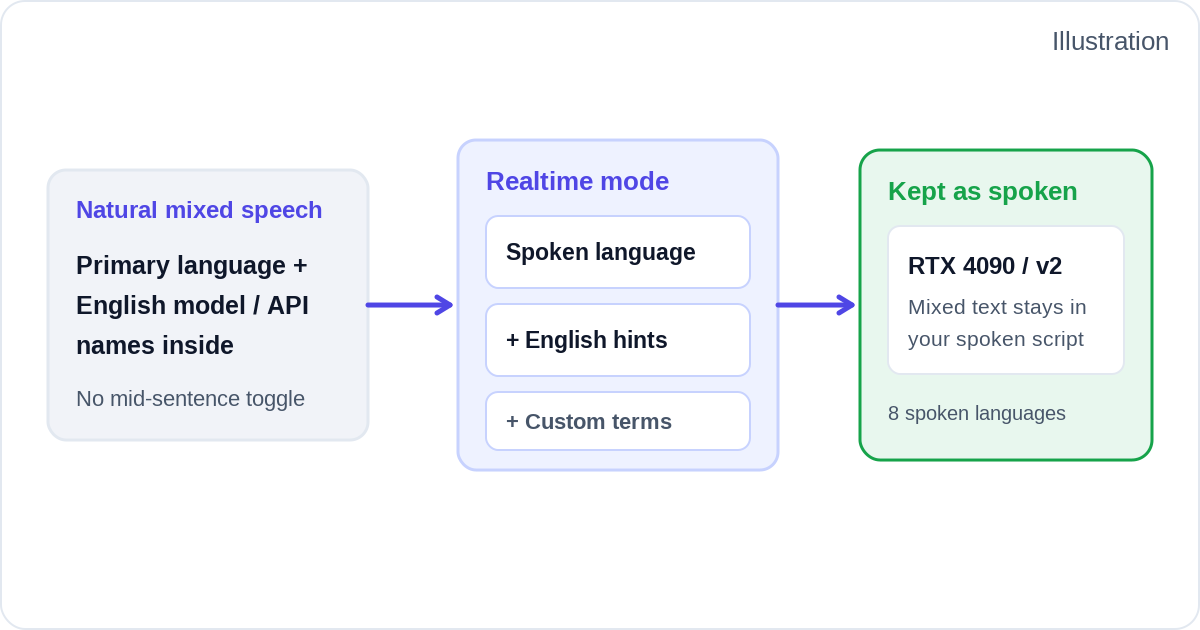
Switching keyboard languages just to drop one English API or product name into a Chinese or Japanese sentence breaks your flow faster than typing it by hand. FlowMic—an open-source (AGPL-3.0) app that sends words spoken on your phone straight to your computer's cursor—keeps English recognition hints active alongside your chosen Spoken language and pairs them with Custom terms so bilingual speech lands naturally without mid-sentence menu toggling.
Why do single-language tools stumble on bilingual talk?
Traditional voice keyboards usually lock strictly onto one language model at a time. Drop an English acronym, GPU model, or framework name into a Mandarin or Japanese sentence, and the recognizer forces it into clumsy phonetic characters. Stopping to toggle languages twice for a single word ruins the whole point of dictating.
FlowMic supports 8 spoken languages—English, Chinese, French, Spanish, German, Japanese, Korean, and Russian—without locking out English companion hints when you pick another primary language. Better yet, your desktop input method stays untouched, just as described in voice typing without switching input methods.
Setting up FlowMic for mixed-language dictation
Pick Realtime mode whenever you want the output to stay in the mixed wording you actually spoke. Three quick settings on your phone keep English technical names from drifting.
- Set Spoken language to the main language of your sentence (Simplified and Traditional Chinese follow the same Chinese speech path).
- Put frequent English libraries, internal service names, model tags (
RTX 4090,API v2), and acronyms into Custom terms. - Keep AI polish on Strict under Recognition and AI so mixed letter-number codes and English tokens keep their spelling without shifting your sentence's base language.
When you actually want to speak in one language and have the entire result arrive translated into another, switch from Realtime to Translate—see dictating in 8 languages and translating into 9 or speaking your language to type English.
Keeping CJK and alphanumeric spacing tidy
Mixing Chinese or Japanese prose with Latin terms and version numbers often leaves awkward spacing or mangled digits to clean up later. FlowMic's punctuation pass and meaning-preserving AI polish handle letter-digit tokens consistently while leaving your saved term spellings untouched.
Install the desktop and phone clients from the download page, or review available language models in the model guide.
Common questions
Do I have to switch Spoken language before saying an English product name?
No. Keep Spoken language set to the main language you are speaking; FlowMic keeps English hints available alongside your chosen spoken language.
How is mixed-language Realtime different from Translate mode?
Realtime keeps the language you spoke—including any English technical terms—while Translate converts the whole utterance into one of 9 target languages.
Which spoken languages does FlowMic support?
FlowMic supports 8 spoken languages (English, Chinese, French, Spanish, German, Japanese, Korean, and Russian), with Simplified and Traditional Chinese sharing Chinese speech routing.