
 FlowMic
Dictate Your Essay Draft, Then Edit at the Keyboard
Dictating an essay draft means you say your argument out loud and let the words pile up in your document, then you reread and rework them at the keyboard. FlowMic, an open source (AGPL-3.0) app, turns your phone into the microphone for this: hold a button on the phone, speak a paragraph, let go, and the text lands at the cursor on your computer.
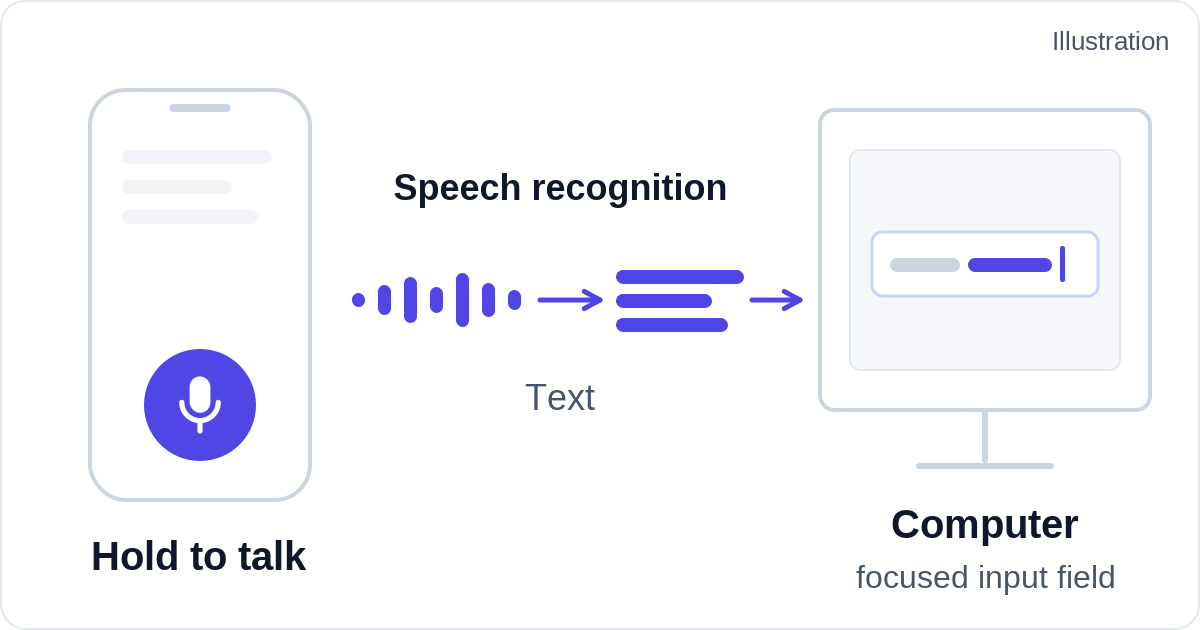
How do you dictate an essay draft with FlowMic?
Pair FlowMic on your phone and computer once, then click inside the document where the draft should start. Hold the talk button on your phone, say a paragraph, and let go; the words go to the cursor in ordinary text boxes in browsers and programs. Repeat paragraph by paragraph, and when the draft is down, switch to the keyboard to cut, move and rewrite.
- Get FlowMic for your computer and phone from the download page.
- On the computer, open "Devices" and click "Add phone"; a QR code and a 4-digit code appear. On the phone, tap "Add device" and scan the code under "Scan", or type it under "Enter manually".
- On the phone, choose "Realtime" in the mode selector so the text stays close to the words you said.
- On the computer, click in your document where the paragraph should go.
- Hold "Hold to talk" and speak. The button reads "Release to end" while you hold it. Let go at the end of the paragraph. If a take goes wrong, slide up to "Release to cancel" before you let go and it is thrown away.
- Read the paragraph at the cursor, then hold the button again for the next one.

Should AI polish be on or off for an essay draft?
If you want the draft to stay in your own words, turn "AI polish" off in the phone settings under "Recognition and AI". With it off, FlowMic skips the language-model edit; your custom terms still apply, and spacing, some fillers and end punctuation can still be tidied. The switch starts on, set to Strict, so check it before your first session.
If you keep it on, Strict fixes mistakes and keeps your wording, though some fillers can still go. Smooth also drops fillers, false starts and repeats and fixes grammar, which reads better but sits further from what you said. For a closer look at drafting with the switch off, read dictate without AI rewording.
Which mode fits a first draft?
"Realtime" is the mode for a draft in your own words: the text stays close to what you said, in the language you said it. "Organize" turns rambling speech into tidy written text in the same language, with fillers and false starts removed, and "Translate" gives you only a translation. You pick one mode per recording on the phone, before you hold the button.
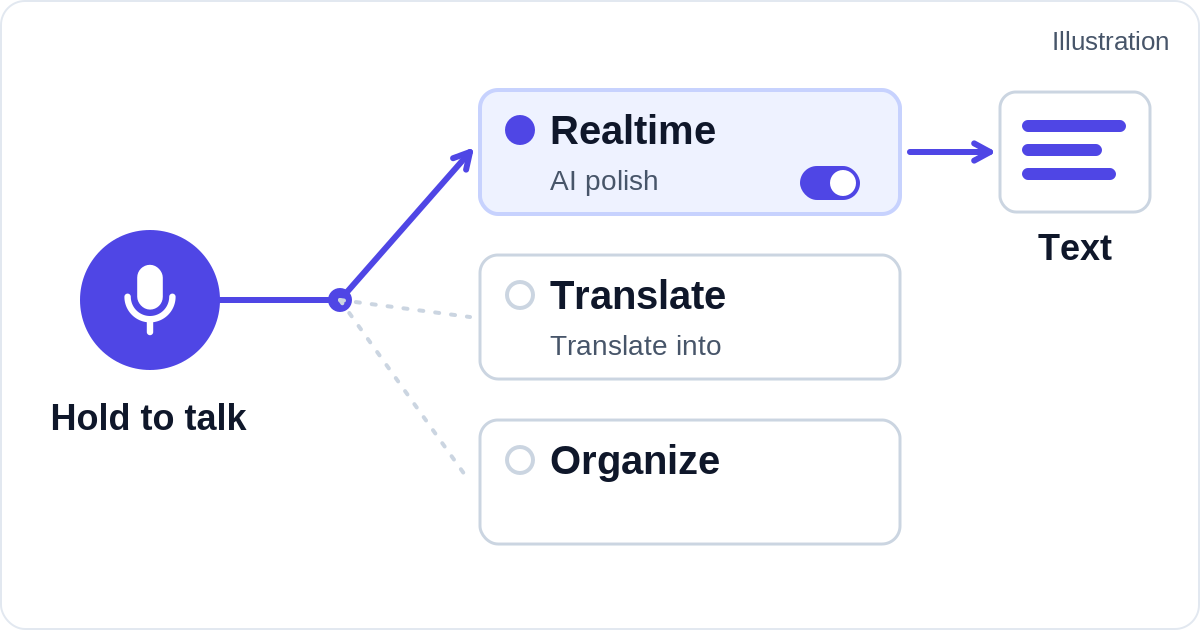
Switching modes clears the phone's text box, and the draft in it is kept as "Record only". If you like to talk an idea through and tidy it afterward, see speak naturally, get a tidy draft.
How do you build a paragraph on your phone before it reaches the document?
The default is "Direct send": when you let go, your words go straight to the computer. To gather a paragraph first, switch to "Manual send". Your words then stay on the phone in a card where you can change them, and nothing goes to the computer until you tap "Deliver", or you can tap "Discard" to drop them. The card also has "Hold to append", so you can keep adding to the same paragraph.
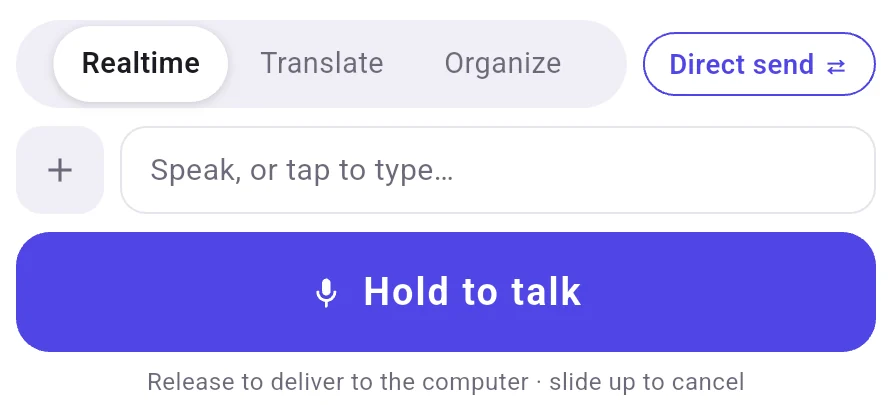
This suits a paragraph you want to say in pieces: speak a sentence, hold "Hold to append" for the next one, read the card, and then deliver the whole paragraph to your document.
Can you talk through a longer draft away from your desk?
Yes. Set the phone to "Record only", and a "Long recording" option appears for longer stretches of talk. It needs you to be signed in and works in "Realtime"; you tap "Start recording" and speak. Each long recording can run up to 10 minutes on Free and up to 30 minutes on Pro and Max, stops and saves on its own at that point, and the result is an article in sections on your phone.
If "AI polish" is on, the finished text of a "Record only" recording is sent to the language model once; with it off, the phone app says Realtime sends nothing. To move spoken notes to your computer later, read say it now, send it to your computer later. Plans are on the pricing page.
Common questions
What does turning off AI polish do?
AI polish is a switch for Realtime in the phone settings, under Recognition and AI. With it off, FlowMic skips the language-model edit; your custom terms still apply, and spacing, some fillers and end punctuation can still be tidied.
Do I need an account?
Cloud relay, for when your phone and computer are on different networks, needs you to sign in on the computer. Long recordings and the cloud Notes space also need sign-in. The Try it page on the FlowMic website lets you test one sentence first, with 120 seconds per browser.
How much does FlowMic cost?
Free is $0 with 20 managed transcription minutes a month and 2 computers, and each long recording can run up to 10 minutes when signed in. Pro is $12 a month with 1,000 minutes and 3 computers, and Max is $28 a month with 3,000 minutes and 10 computers; on both, a long recording can run up to 30 minutes. You subscribe on the FlowMic website.
Which computers and phones can I use?
FlowMic runs on Windows 10/11 64-bit, on macOS 11 or later with Apple silicon, and on Linux x86-64 in an X11 session. The phone app runs on Android 7.0 or later and on iPhone and iPad with iOS or iPadOS 15 or later.