
 FlowMic
Voice Typing for Your PC, Using Your Phone's Microphone
Voice typing for your PC with your phone means speaking into your phone so the recognized words appear inside the text box where your cursor sits on your computer. FlowMic is an open source (AGPL-3.0) app built for this job. Your computer needs no microphone, no audio driver, and no remote control software. You hold a button on your phone, talk, and let go to put words into ordinary text boxes in browsers and programs. For a desk computer with no microphone at all, read using a desktop without a microphone.
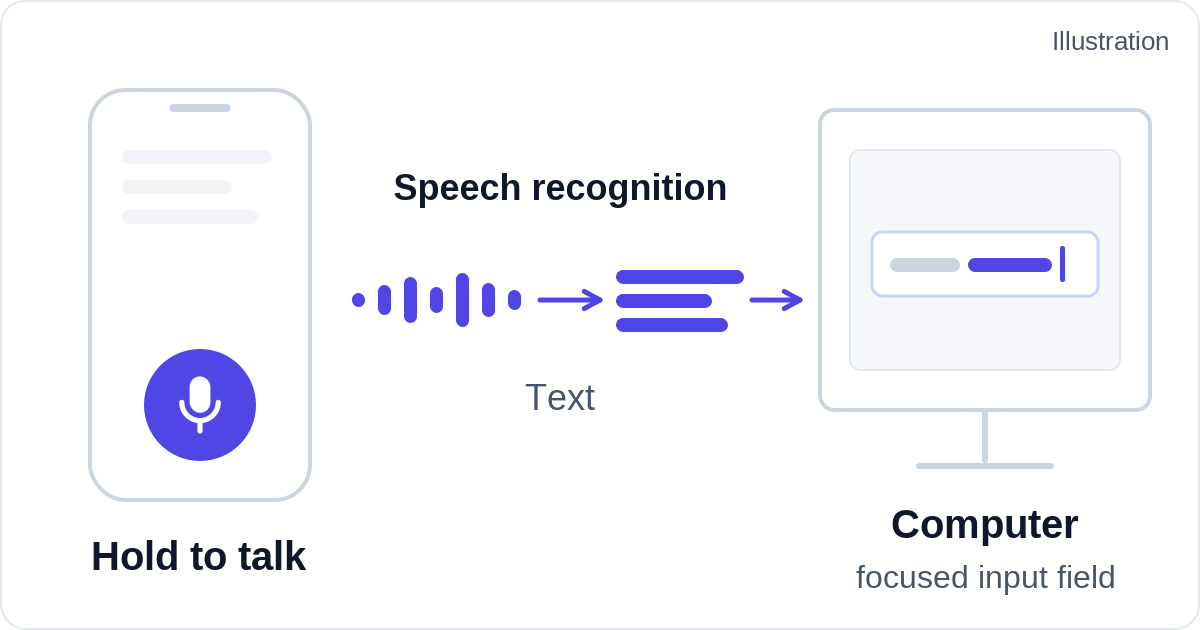
How do you set up FlowMic and dictate your first sentence?
Setting up FlowMic takes two installs and a QR code scan between your computer and your phone. Install the computer app first so it can display a pairing code, then open the phone app to scan that code from the screen. Once paired, click inside a text box on your computer, hold the talk button on your phone, speak your sentence, and release the button so the text appears at your cursor.
- Install the computer app from the FlowMic download page. On Windows 10/11 64-bit, use Microsoft Store, the MSI installer, or the portable zip on GitHub Releases. On macOS 11 or later with Apple silicon, move FlowMic into "Applications" before opening it, then grant Accessibility permission. On Linux x86-64 in an X11 session, install the
.debpackage or portable zip. - Install FlowMic on your phone from Google Play on Android 7.0 or later, with the GitHub Releases APK as an option, or from the App Store on iOS or iPadOS 15 or later.
- Open FlowMic on your computer, go to "Devices", and click "Add phone". A dialog shows a QR code, a 9-digit PCID, a 4-digit pairing code, and "Pairing code expires in". It notes "Pairing code valid for 5 minutes" and refreshes automatically.
- On your phone, tap "Add device". Keep the "Scan" tab selected and point your camera at the QR code on the computer without pressing a button, or switch to "Enter manually".
- Click inside an ordinary text box in a browser or program on your computer. On your phone, press and hold the blue "Hold to talk" button, granting microphone permission if prompted.
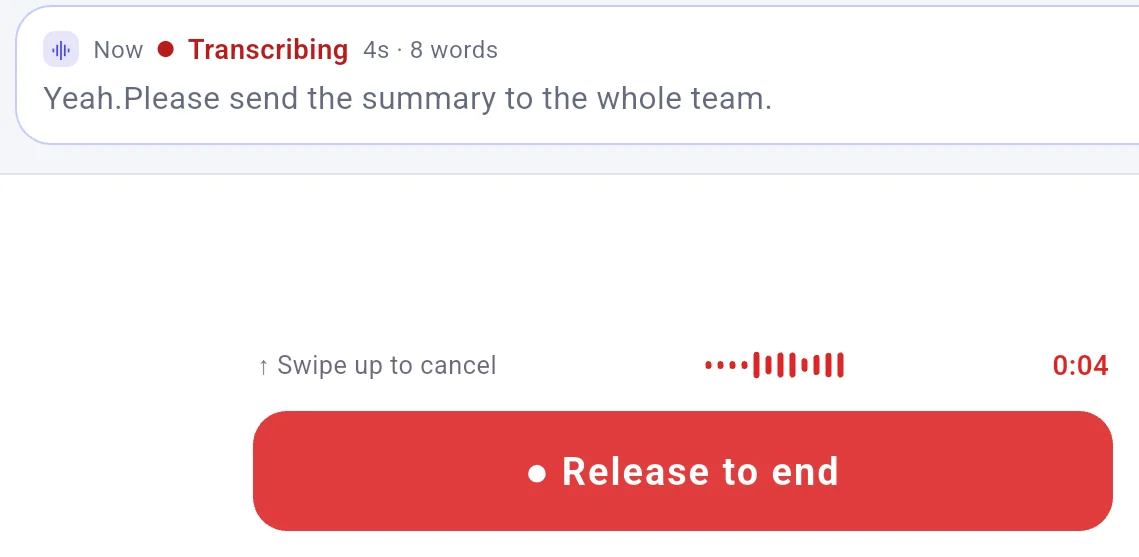
- Speak while holding the button; its label changes to "Release to end". Let go when finished, check the words at your cursor, and send them the way you normally do.
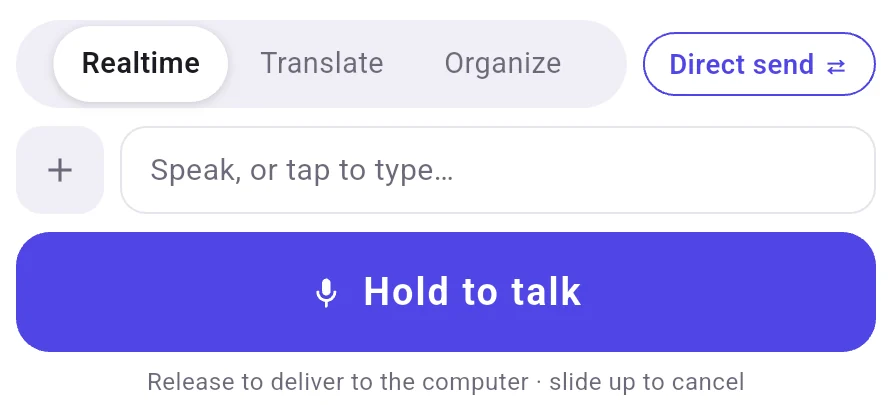
What happens on the screen while you hold the button to talk?
When you press and hold "Hold to talk" on your phone, recording starts after a brief hold and the button label switches to "Release to end" while you speak. Words appear on the phone screen during recording to show progress, and the finished text goes to your computer only after you lift your finger. If you change your mind mid-sentence, slide your finger upward until "Release to cancel" appears, then let go to discard the recording.
After you release the button, FlowMic tracks the handoff in two separate steps. On the phone row, the status reads "Delivered", which means your words reached the computer. On the computer timeline, a separate status shows what happened at the window: "Injected" when text entered the active box, "Not injected · buffered", or "Input sent". See the push-to-talk dictation guide for Windows for more on button controls.

How do Local LAN and Cloud relay connections work?
FlowMic connects your phone and your computer over either "Local LAN" on the same network or "Cloud relay" across different networks. When both devices are on the same Wi-Fi, "Local LAN" links them directly. When your phone and computer are on separate networks, "Cloud relay" passes your words across after you sign in on the computer.
On "Local LAN", the computer page shows "Local service ready · direct connection on the same Wi-Fi" to link your phone and computer directly on the same Wi-Fi. On "Cloud relay", the computer app needs to be signed in first, and then the page shows "Connected via cloud relay · phones can join from any network". FlowMic servers, including the relay, do not store your transcripts, and the relay connection uses TLS; see does FlowMic keep what you say.
Which speaking modes and plans can you choose from?
Every dictation in FlowMic runs through one of three modes that you pick on the phone before speaking: "Realtime", "Translate", or "Organize". All three modes are included in every plan. Inside "Realtime", you can also toggle the "AI polish" switch when you want light cleanup in the same language.
"Translate" turns spoken words into your chosen translation language, while "Organize" turns spoken thoughts into tidy written text in the same language. You can check the FlowMic pricing page or try the browser demo. Subscriptions are billed monthly in US dollars on the FlowMic website:
- Free: $0, 20 managed transcription minutes a month, 2 computers.
- Pro: $12 a month, 1,000 managed minutes a month, 3 computers.
- Max: $28 a month, 3,000 managed minutes a month, 10 computers.
- Long recording (needs sign-in): up to 10 minutes per recording on Free and up to 30 minutes on Pro and Max, separate from the 20 minutes a month on Free.
Common questions
Do I need a microphone or audio driver on my computer?
No. Your computer does not need a microphone, an audio driver, or microphone permissions, and no remote control software is needed. You speak into your phone in the FlowMic app, and the recognized text goes to the cursor on your computer.
Which phones and computers work with FlowMic?
FlowMic runs on Windows 10/11 64-bit, macOS 11 or later on Apple silicon with Accessibility permission granted, and Linux x86-64 in an X11 session. On mobile, it supports Android 7.0 or later and iPhone or iPad on iOS or iPadOS 15 or later. The iOS app is on the App Store outside mainland China and the EU.
Do you need to sign in to use the cloud relay?
Yes. Signing in to an account on the computer is required when you want to pair and dictate across different networks over Cloud relay.
What does FlowMic cost?
Free is $0 for 20 managed transcription minutes a month across 2 computers. Pro is $12 a month for 1,000 managed minutes and 3 computers, and Max is $28 a month for 3,000 managed minutes and 10 computers, billed monthly in US dollars on the FlowMic website with Realtime, Translate, and Organize included.
Where do my words go when I dictate?
FlowMic servers, including the relay, do not store your transcripts, and the relay connection uses TLS.