
 FlowMic
Dictate Commas and Quotes, Then Hit Send Yourself
Nobody wants a voice keyboard that hits Send in Slack or fires half a command the moment you pause or say "new line." FlowMic—an open-source (AGPL-3.0) app that captures speech on your phone and types into your computer's focused input field—cleans up commas, periods, quotes, and brackets as you finish each thought while leaving the final Send key strictly in your hands.
Do you need to say punctuation commands out loud?
In most messages, saying "comma" and "period" after every clause slows you down more than it helps. Even when AI polish is turned off, FlowMic straightens spacing around quotes and parentheses and adds closing punctuation once a thought ends.
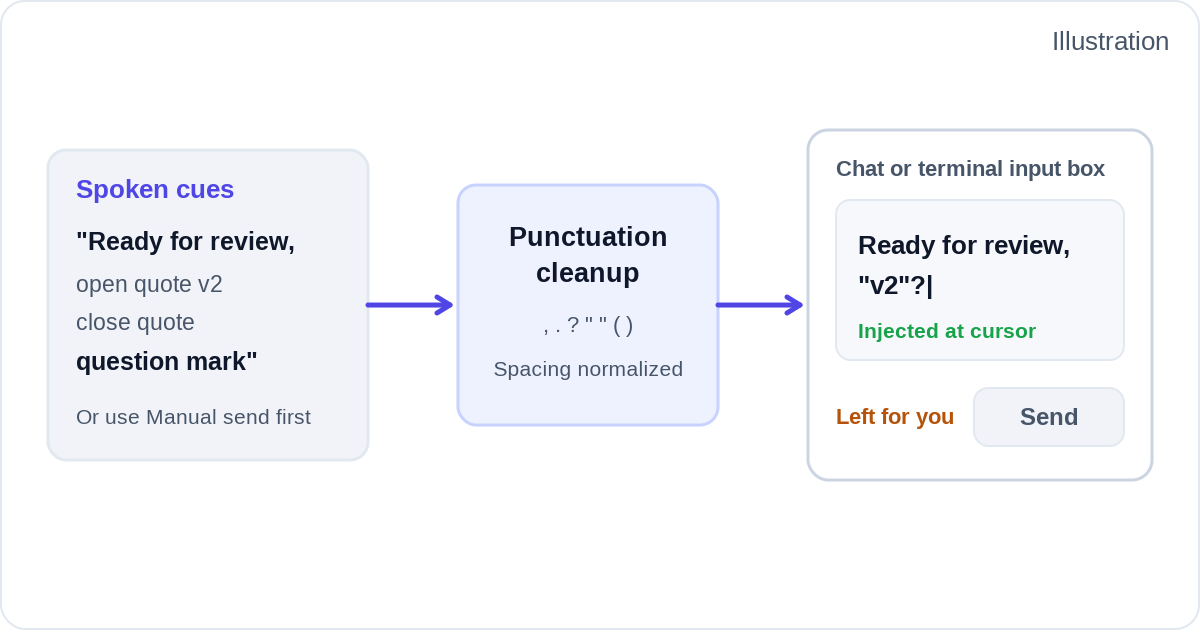
Spoken cues still pay off whenever you want exact control—like asking for a question mark on a short prompt or wrapping a literal string in open and close quotes. Saved Custom terms and quoted phrases stay protected so cleanup never mangles a project name.
Keeping chat boxes and terminals from firing early
Team chat tools, web forms, and terminals all share one annoying quirk: hitting Enter submits immediately. Because FlowMic stops after injecting words at your cursor rather than pressing Send for you (explained in why FlowMic leaves sending to you), you always read the line before it goes out.
Live injection also keeps spoken formatting phrases from firing an unintended Enter press inside active chat boxes so a half-finished thought stays right in the draft field. Keep commands in classic Windows Command Prompt short and deliberate, and check dictating into Slack and Discord for quick messaging habits.
Formatting longer replies with Manual send
If you are putting together a multi-part question, code review note, or quoted reply and want to check every mark before it touches your PC, switch out of Direct send.
- Tap the send toggle beside the phone text strip to choose Manual send.
- Hold Hold to talk, say your reply with whatever spoken quotes or punctuation you need, and release.
- Check the card on your phone: tweak a symbol directly, or tap Polish or Organize inside the card.
- Click the target box on your computer, then tap Deliver so the clean text lands at the cursor.
For more everyday typing tips, read the how-to-dictate guide or grab the apps from the download page.
Common questions
Do I have to say comma and period after every phrase?
No. FlowMic cleans up spacing and adds closing punctuation automatically when you finish speaking a thought. Spoken punctuation cues like question mark or quote marks are handy when you want exact symbols.
Will speaking a punctuation or formatting phrase send my Slack or Discord message by mistake?
FlowMic injects the finished text at your cursor and leaves pressing Send to you, and live injection avoids pressing Enter from a spoken newline cue so half-written messages do not fire prematurely.
Where should I review a multi-part message before it lands on my computer?
Switch the input bar toggle on your phone to Manual send. Your text waits on a card where you can edit, run Polish or Organize, and tap Deliver when ready.