
 FlowMic
Voice Typing on Ubuntu (X11)
Voice typing on Ubuntu lets you write in the programs on your Ubuntu desktop by speaking, and FlowMic, an open source (AGPL-3.0) app, does it in an X11 session with your phone as the microphone. You hold a button in the phone app, speak, and let go, and the text lands at your cursor in a text editor, a document, a code editor, or a text box on a web page. The Linux X11 dictation page has the short version.
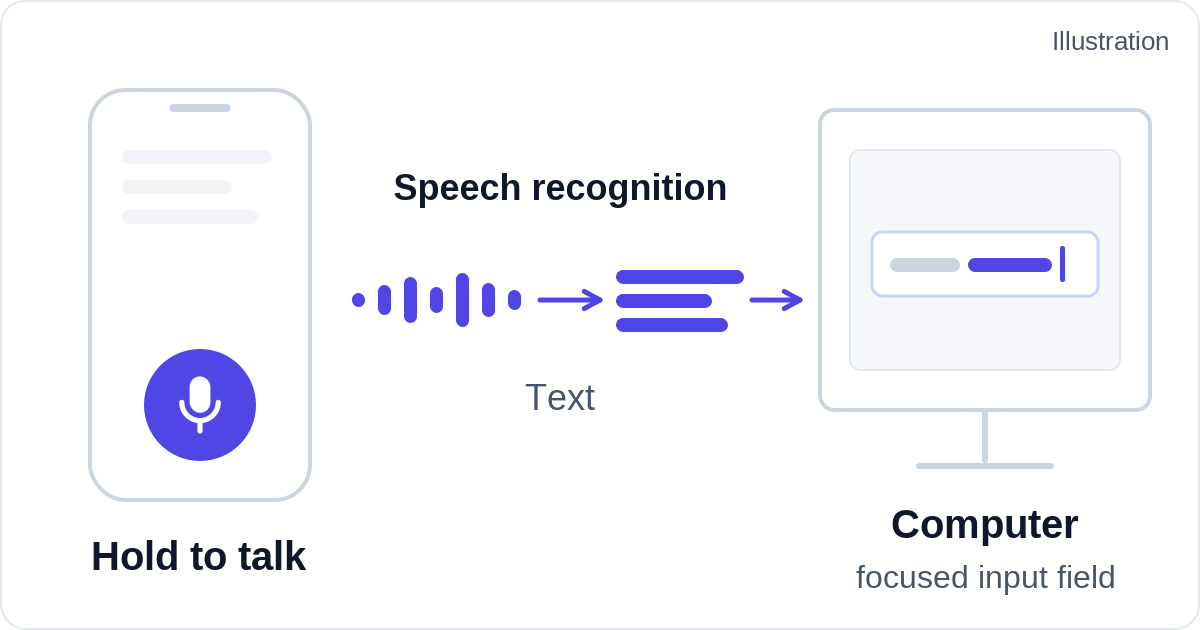
How do you set up voice typing on Ubuntu?
You install FlowMic on the Ubuntu computer and on your phone, then pair the two with a QR code. The Linux app comes as a .deb package or a portable zip for x86-64 computers, and the .deb installs with one apt command. The computer needs no microphone, audio driver, or virtual microphone, because your phone does the listening.
- Download the .deb from the Linux download page and install it with
sudo apt install ./FlowMic_*_amd64.deb. - Install FlowMic on your phone, then open FlowMic on the computer, go to "Devices", and click "Add phone".
- On the phone, open "Add device", choose "Scan", and scan the QR code before the 4-digit code refreshes after 5 minutes.
- Put your editor or browser window in front and click into the text box.
The Linux install guide has more on installing FlowMic on Linux. If you are coming from the phone side, voice typing from an Android phone into Linux walks through the same setup.
Which Ubuntu session does FlowMic need?
FlowMic needs an X11 session to type into other programs on Ubuntu, and it is tested on Ubuntu 22.04. Inside that session it pastes into standard desktop programs with Ctrl+V through the system clipboard, then puts your previous clipboard text back. The words appear at the cursor of the window in front.
How do you speak into the phone?
The talk button is the "Hold to talk" button in the FlowMic phone app. Press and hold it, keep holding the whole time you speak, and let go when you finish. The words land at your Ubuntu cursor after you let go, so you can say a whole sentence or a short paragraph before it appears in your document.
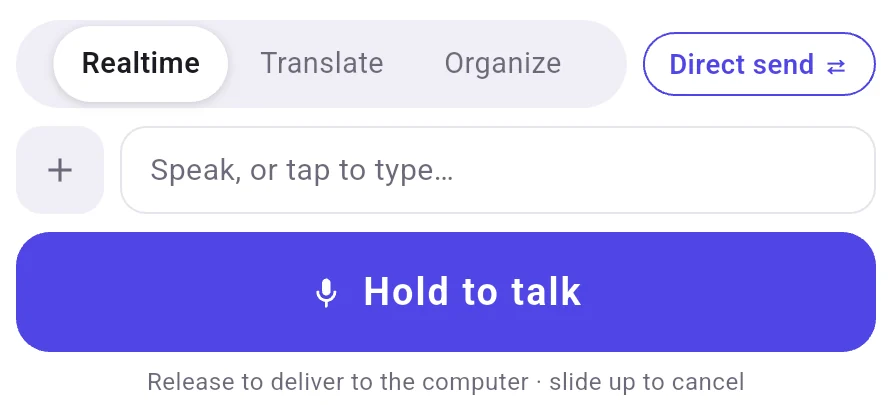
A small "⇄" control on the phone switches between "Direct send" and "Manual send". The talk button lives on the phone, so there is no key to hold on the computer while you dictate.
What do you see after you let go?
Each sentence gets a status on both devices. On the phone, the row shows "Delivered", which means the words reached the Ubuntu computer. On the computer, the timeline shows "Input sent" for the same sentence once FlowMic has passed it to the window. Because the text goes to the window in front, click into the right text box before you hold the button.
If you want a sentence again, use "Re-inject" on the computer timeline or "Resend" on the phone row. For the two status steps in more detail, read what happened to every sentence you dictate.
Which connection and modes can you use on Ubuntu?
You can pair over "Local LAN" on the same network or through "Cloud relay". On "Local LAN", your speech audio travels from the phone to FlowMic on the computer over your local network; before your first dictation, download the speech model once under Settings, "Speech recognition", "Built-in speech model". Each recording then uses one mode: "Realtime", "Translate", or "Organize".
"Realtime" stays close to the words you said, "Translate" gives a translation, and "Organize" tidies them in the same language. On "Local LAN", "AI polish", "Translate", and "Organize" use a language model that you set up on the computer under Settings, "Language model". All three modes are in every plan; see the pricing page, and for where your words go, read does FlowMic keep what you say.
Common questions
Does FlowMic work on Ubuntu?
Yes. FlowMic for Linux comes as a .deb package and a portable zip for x86-64 computers, and it is tested on Ubuntu 22.04. It needs an X11 session to type into other programs, and you pair it with the FlowMic phone app by scanning a QR code.
How do I install FlowMic on Ubuntu?
Download the .deb from the FlowMic download page and install it in a terminal with sudo apt install ./FlowMic_*_amd64.deb. Then open FlowMic, go to Devices, click Add phone, and scan the code from the phone app.
Do I need a microphone on the Ubuntu computer?
No. Your phone is the microphone. The Ubuntu computer needs no microphone, no audio driver, and no virtual microphone, and the desktop app asks for no microphone permission.
Which desktop session do I need on Ubuntu?
You need an X11 session, which FlowMic needs to type into other programs. Inside it, FlowMic pastes your words at the cursor through the clipboard with Ctrl+V and then puts your previous clipboard text back.