
 FlowMic
Write by Voice From Your Phone With One Wrist Out of Action
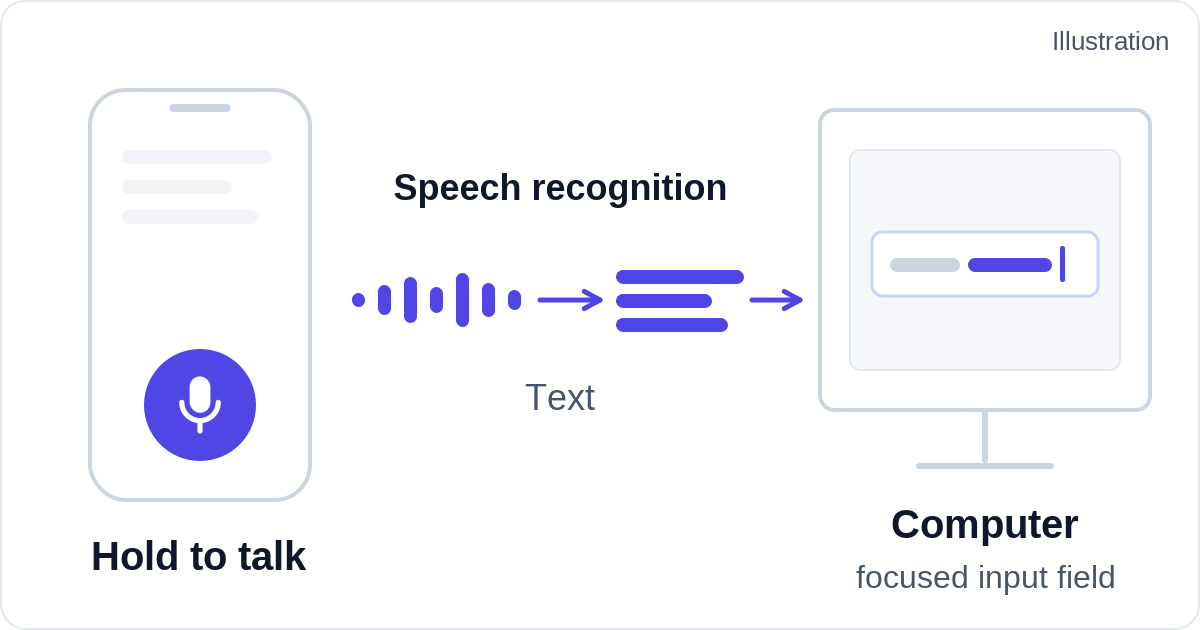
Writing by voice when one wrist is out of action means speaking the sentences you would otherwise type on a keyboard. FlowMic lets you do that by holding a button on your phone so the words appear at the cursor on your computer. You place the cursor where the text belongs, hold one button on your phone screen, and speak. The one-button page for when typing hurts shows the same setup from another angle.
How do you set up FlowMic and dictate your first sentence?
You install FlowMic on both your computer and your phone, pair them once with a QR code or a 4-digit code, click the text box you want to write in on your computer, and hold "Hold to talk" on your phone while you speak. When you let go, your transcribed words appear at the cursor in ordinary text boxes in browsers and programs, and you decide when to send them.
- Visit the download page to install FlowMic on your computer from Microsoft Store or GitHub Releases, and on your phone from the App Store, Google Play, or the GitHub APK.
- Open the computer app, go to "Devices", and click "Add phone". A dialog shows a QR code and a 4-digit code under "Pairing code expires in", which lasts 5 minutes and refreshes on its own. When both devices are on the same network, they connect over your local network; across networks, cloud relay requires signing in on the computer.
- Open the phone app, tap "Add device", and use "Scan" to point your camera at the QR code, or pick "Enter manually" to type the address and 4-digit code. When you reopen the app later, tap your computer in the list and wait for "Connected".
- Click inside the target text box on your computer so the cursor sits where your words belong.
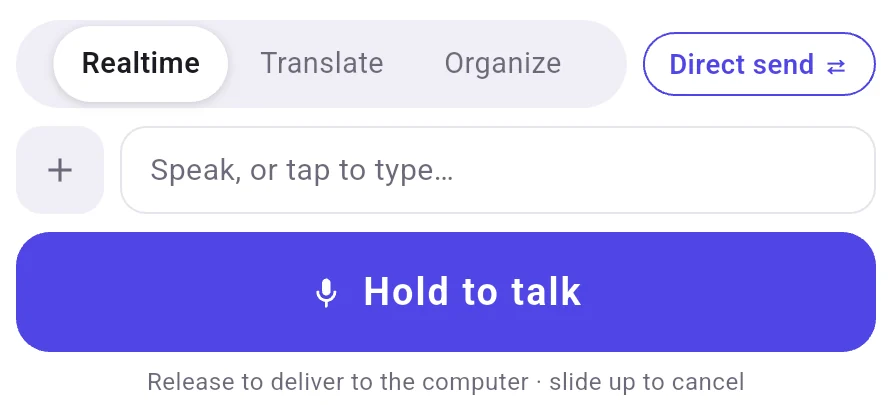
- On the phone, press and hold "Hold to talk". The label becomes "Release to end" while you speak, or you can slide up to "Release to cancel" and let go to discard the recording.
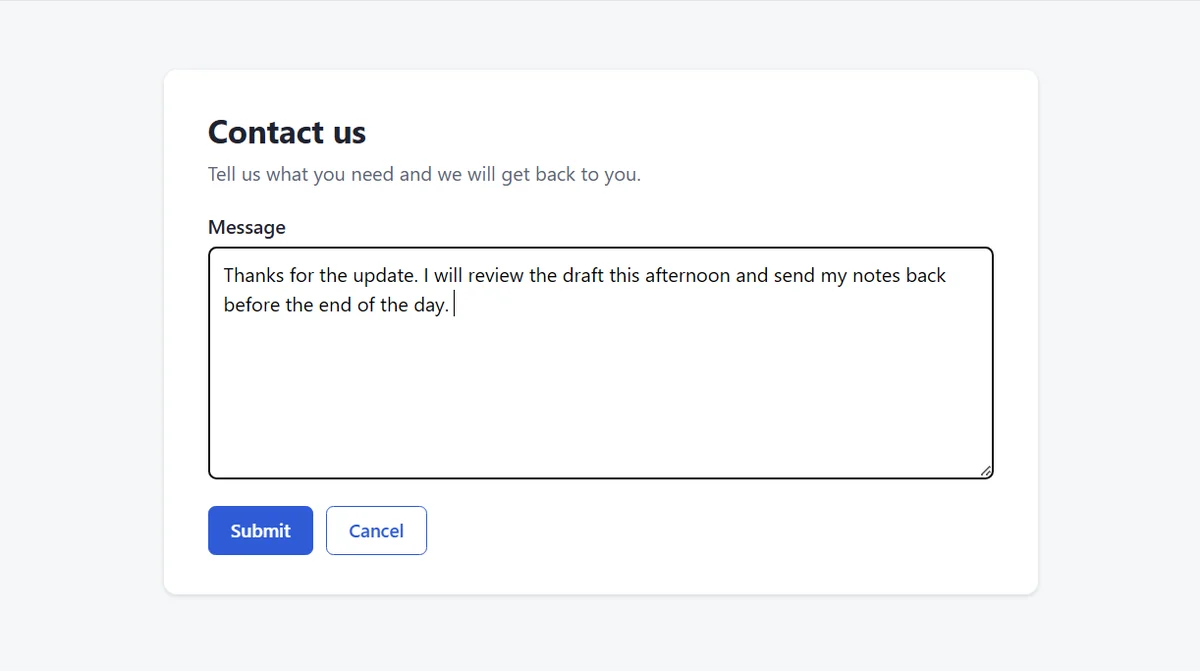
- Release when finished. Under default "Direct send", the phone delivers the text to your computer, and the computer app puts the words at the cursor. Look over the words and send them the way you normally do.
How does the talk button on your phone replace holding keys on the keyboard?
The talk button is on your phone screen, not on the computer keyboard. You hold "Hold to talk" to speak and let go to finish, or slide up to "Release to cancel" to discard the recording. With the default "Direct send", your words go to the computer when you let go.
Because there is no computer key combination to hold down, you do not have to reach across the keyboard to start dictating. You click the text box on your computer once, press and hold the button on the phone, and speak. When the phone row shows "Delivered", the words have reached the computer, and the computer app then places them into the focused text box. The same steps work for replying to messages on a computer with one hand.
What if you want to check or add to your words before they reach the computer?
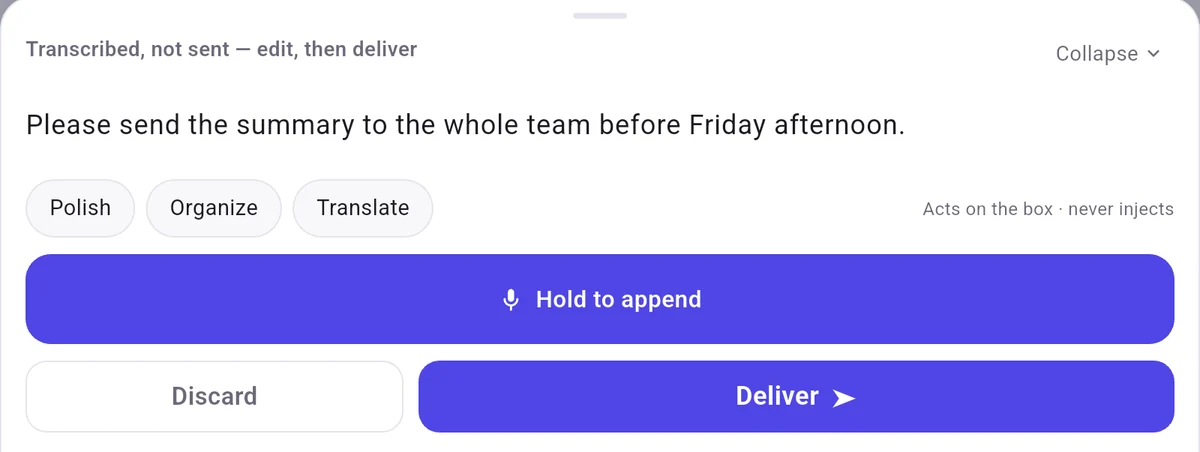
If you want to review your text on the phone before it goes to the computer, tap the "⇄" switch beside the input area to change from "Direct send" to "Manual send". When you release the button in "Manual send", your spoken words stay on the phone in an editable card until you tap "Deliver" or "Discard".
If you think of another sentence, press and hold "Hold to append" on that same card so your new words join the draft. Before you speak, you can also pick one of the three modes at the bottom of the screen: "Realtime" (which includes an "AI polish" switch), "Translate", or "Organize" for tidy written text in the same language.
How can you dictate longer drafts without holding the button the whole time?
When you want to talk through a longer draft without holding the button on the screen, sign in and use long recording when the destination is set to "Record only" in "Realtime" mode. You tap "Start recording" and speak for up to 10 minutes per single long recording on the Free plan, which is separate from the 20 managed minutes a month, or up to 30 minutes per single long recording on Pro and Max.
Long recording reminds you one minute before the limit, then stops and saves on its own as an article split into sections. You can also sign in to use cloud "Notes", which keeps the destination set to "Record only" so you can capture spoken notes on your phone without pairing a computer.
How can you try FlowMic and what do the plans include?
On the Try it page, you can test voice input in your browser without installing anything. Each browser gets 120 seconds, and the words appear in the sample box on that web page. When you install the apps, the Free plan is $0 and gives you 20 managed transcription minutes a month across 2 computers, plus up to 10 minutes per single long recording.
Plans are on the pricing page: you subscribe on the FlowMic website, billed monthly in US dollars, with no yearly plan. Pro is $12 a month for 1,000 managed minutes across 3 computers, and Max is $28 a month for 3,000 managed minutes across 10 computers, with up to 30 minutes per single long recording on both. All three plans include "Realtime", "Translate", and "Organize". FlowMic is open source (AGPL-3.0), and you can read more about giving your wrists a break by dictating from your phone.
Common questions
Do you need to tap a send button on the phone after speaking?
Under the default Direct send setting, releasing the button sends your spoken words to the computer without another tap. If you prefer to read or edit the text on your phone first, switch to Manual send and tap Deliver when you are ready.
Do you need an account to use FlowMic?
You need to sign in on the computer to pair over Cloud relay, and you need to sign in on the phone to use long recordings or cloud Notes. You can also test voice input on the website without signing in.
What does FlowMic cost?
The Free plan is $0 and includes 20 managed transcription minutes a month across 2 computers, plus up to 10 minutes per single long recording. Pro is $12 a month for 1,000 minutes and 3 computers, and Max is $28 a month for 3,000 minutes and 10 computers, each with up to 30 minutes per single long recording.
Which computers and phones work with FlowMic?
FlowMic runs on Windows 10/11 64-bit, macOS 11 or later on Apple silicon, and Linux x86-64 in an X11 session. On mobile, it runs on Android 7.0 or later and iPhone or iPad with iOS or iPadOS 15 or later.